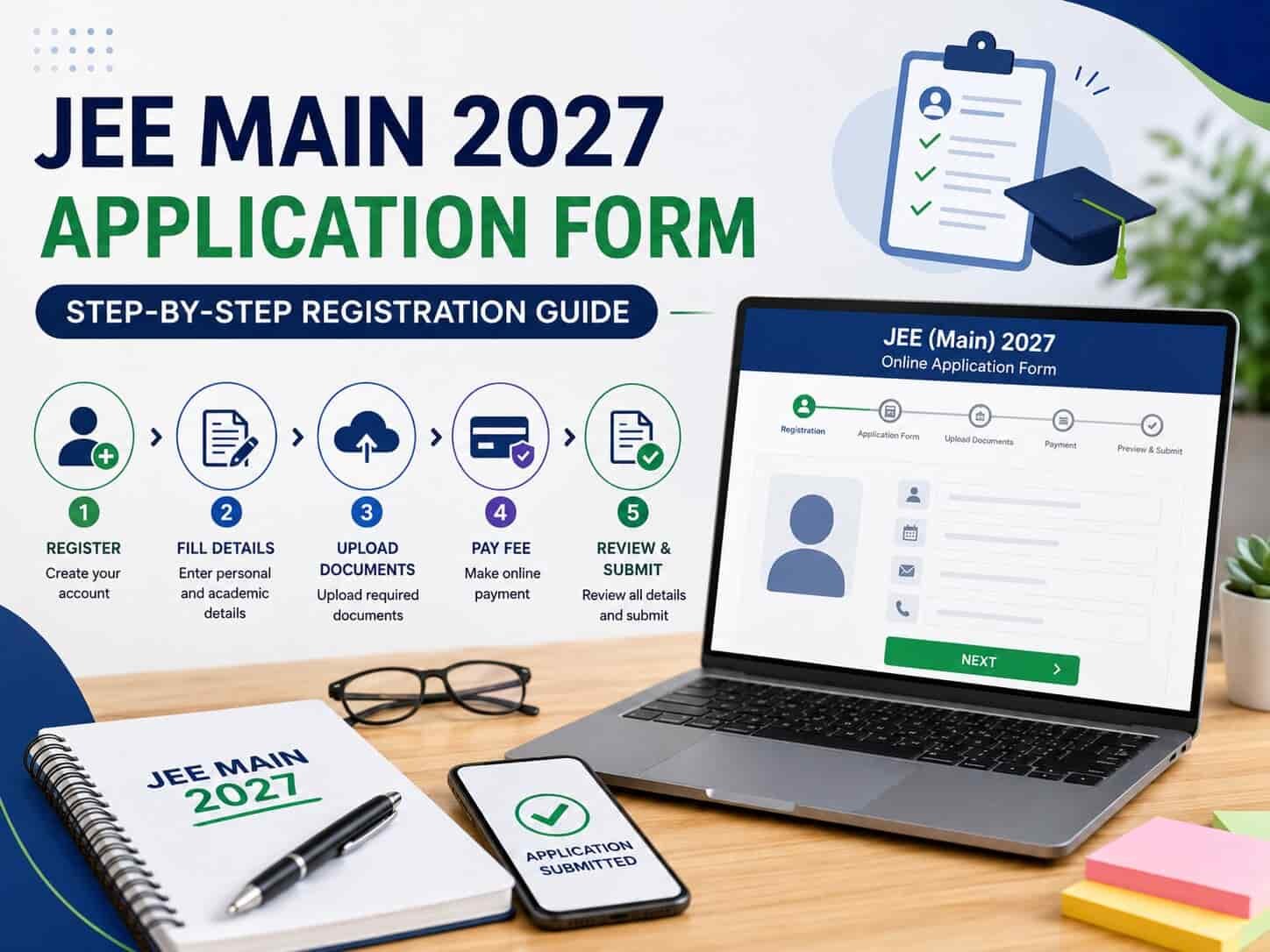
JEE Main 2027 registration hasn't opened yet as things stand, but knowing the process in advance means you can move quickly and accurately the moment the window opens — rather than scrambling to figure things out under time pressure. Here's a complete walkthrough of what to expect and exactly how to fill the form when it goes live.
When Registration Is Expected to Open
Based on NTA's typical pattern in recent years, JEE Main 2027 Session 1 registration is expected to open around late October to November 2026, with the application window generally staying open for a few weeks. Session 2 registration typically follows in January, closer to the April exam window. NTA hasn't released an official notification for JEE Main 2027 as of now — exact dates will only be confirmed once NTA publishes the official Information Bulletin, so treat these windows as reasonable expectations based on past patterns, not confirmed dates.
Before You Start: Documents and Details to Keep Ready
Have these ready before you sit down to register, since the process moves faster and with fewer errors when you're not searching for documents mid-form: a recent passport-size photograph and signature scanned in the specified format and size, your Class 10 and Class 12 (or equivalent) mark sheets and certificates, a valid ID proof, category certificate (if applicable, issued within the validity window NTA specifies), PwD certificate (if applicable), and your Aadhaar details.
One detail worth double-checking in advance: your Aadhaar details should match your Class 10 records exactly — name, date of birth, and gender need to be identical across all your official documents, since mismatches here are one of the most common sources of application errors and later correction requests.
Step-by-Step: How to Fill the JEE Main 2027 Application Form
Step 1: Visit the official website. Go to jeemain.nta.nic.in — this is the only official portal for JEE Main registration. Avoid third-party sites claiming to offer a registration gateway.
Step 2: Start a new registration. Click on "New Registration" under the Candidate Activity section. Read NTA's instructions carefully and check the declaration box before proceeding.
Step 3: Enter your basic details. Provide your name, date of birth, gender, and valid contact information (a working mobile number and email ID you check regularly, since all further communication comes through these). Set a secure password and choose a security question for account recovery.
Step 4: Note your Application Number. Once you submit this initial information, the system generates a unique JEE Main 2027 Application Number, sent to your registered email and phone along with your password. Save this immediately — you'll need it for every subsequent login.
Step 5: Log in and complete the full application form. Using your Application Number and password, log back in and fill in your personal details (name, date of birth, gender, category), contact information, educational qualification details, and your preferred exam cities. NTA typically asks you to select multiple exam city preferences (commonly four), so choose thoughtfully based on your actual travel feasibility.
Step 6: Choose your paper. JEE Main is conducted for two main papers — Paper 1 for B.E./B.Tech admissions, and Paper 2 (further split into 2A and 2B) for B.Arch and B.Plan admissions respectively. Select the paper relevant to the course you're targeting; you can opt for more than one if you're keeping both options open.
Step 7: Upload your documents. Upload scanned copies of your photograph, signature, and any other required documents in the exact format, size, and resolution specified by NTA. Documents that don't meet the specified format are one of the most common causes of application rejection or correction-window headaches later.
Step 8: Review your form carefully. Before submitting, go through every field again — name spelling, date of birth, category selection, and exam city preferences. Some details, once submitted, either can't be changed at all or can only be changed within a limited correction window later, so this review step matters more than it might seem.
Step 9: Pay the application fee. Complete payment through the accepted online modes — debit card, credit card, net banking, or UPI. The application is considered complete only once the fee payment is successfully processed. Application fees are non-refundable under any circumstances, so verify your form thoroughly before this final step.
Step 10: Download and save your confirmation. Once payment is successful, download and save the confirmation page and a copy of your completed application form for your own records, even though the official acknowledgment stays saved on the portal.
A Few Category-Specific Details Worth Knowing
For OBC-NCL and EWS candidates specifically, certificates need to be issued within a validity window defined for that year's cycle — for JEE Main 2027, this generally means certificates should be recently issued rather than several years old. If your certificate isn't ready by the time you're registering, NTA typically allows uploading a self-declaration or undertaking form instead, with the valid certificate required later during counselling and seat allotment.
Choose your category carefully at the time of initial registration — most sources indicate that the category selected for Session 1 generally cannot be changed to a different category for Session 2, so getting this right the first time avoids complications later.
When filling in category-related official details, use only the official designation of the issuing authority (such as Tehsildar, District Magistrate, or Revenue Officer) rather than an individual officer's personal name, since this is what authenticates the document during verification.
After Submission: The Correction Window
Once the registration process closes for a session, NTA typically opens a correction window a few weeks later, allowing candidates to edit specific fields in their submitted application. Not all fields are editable during this window — category, for instance, is often restricted — so getting your form right the first time remains far more reliable than depending on the correction window to fix major errors later.
What to Do Now
Start assembling your documents — photograph, signature, certificates, and ID proof — in the correct formats now, well before the registration window opens, so you're not rushing to prepare scans once the portal goes live.
Double-check that your Aadhaar and Class 10 records match exactly on name, date of birth, and gender, since resolving a mismatch can take time and is best identified before you're mid-registration under a countdown.
Keep checking the official JEE Main website (jeemain.nta.nic.in) regularly as the expected registration window approaches, since NTA's official Information Bulletin — not third-party estimates — is the only source that confirms exact dates.
Decide your paper choice (B.E./B.Tech, B.Arch, B.Plan, or a combination) and your category classification in advance, so you're not making these decisions hastily during the actual registration process.
Key Things to Remember
JEE Main 2027 Session 1 registration is expected around late October–November 2026, with Session 2 following around January 2027 — but exact dates depend on NTA's official notification, not yet released.
The registration process involves creating an account, filling in personal and academic details, choosing your paper and exam city preferences, uploading documents, and completing fee payment — in that order.
Category selection during Session 1 typically can't be changed for Session 2, and OBC-NCL/EWS certificates need to meet the specific validity window NTA sets for that year.
A correction window opens after registration closes, but not all fields are editable — accuracy at the point of initial submission matters far more than relying on later corrections.
This article is based on JEE Main's typical registration process and expected timelines for the 2027 cycle. Since NTA has not yet released the official JEE Main 2027 Information Bulletin, candidates should treat all dates here as expected estimates and verify the confirmed registration schedule, fees, and document requirements directly on jeemain.nta.nic.in once released.
Article Stats
You Might Also Like

What Is the MS Course? A Complete Guide to Introduction, Eligibility, NEET PG Counselling and Preparation

What Is the MD Course? A Complete Guide to Introduction, Eligibility, NEET PG Counselling and Preparation
Tripura MBBS BDS Round 3 Re-Revised Schedule 2026: Choice Filling, Merit List, Allotment and Admission Dates